

Who should be able to draft a denial letter? Who should be allowed to approve a Reservation of Rights? Who can manage templates, update user access, or send correspondence without another review step?
For claims organizations, these questions shape how teams manage authority, compliance, and operational risk across every piece of claim correspondence.
Most claims teams need more than a simple user hierarchy. A trainee, adjuster, team lead, and admin structure may work for basic workflows, but it can become limiting as organizations add business units, entities, jurisdictions, review layers, and internal authority rules.
Without more precise permission control, teams often end up with workarounds. Some users receive broader access than they need. Others have to wait on admins for routine tasks. Approval paths may depend on manual routing instead of clear system-level controls.
Introducing Custom Roles
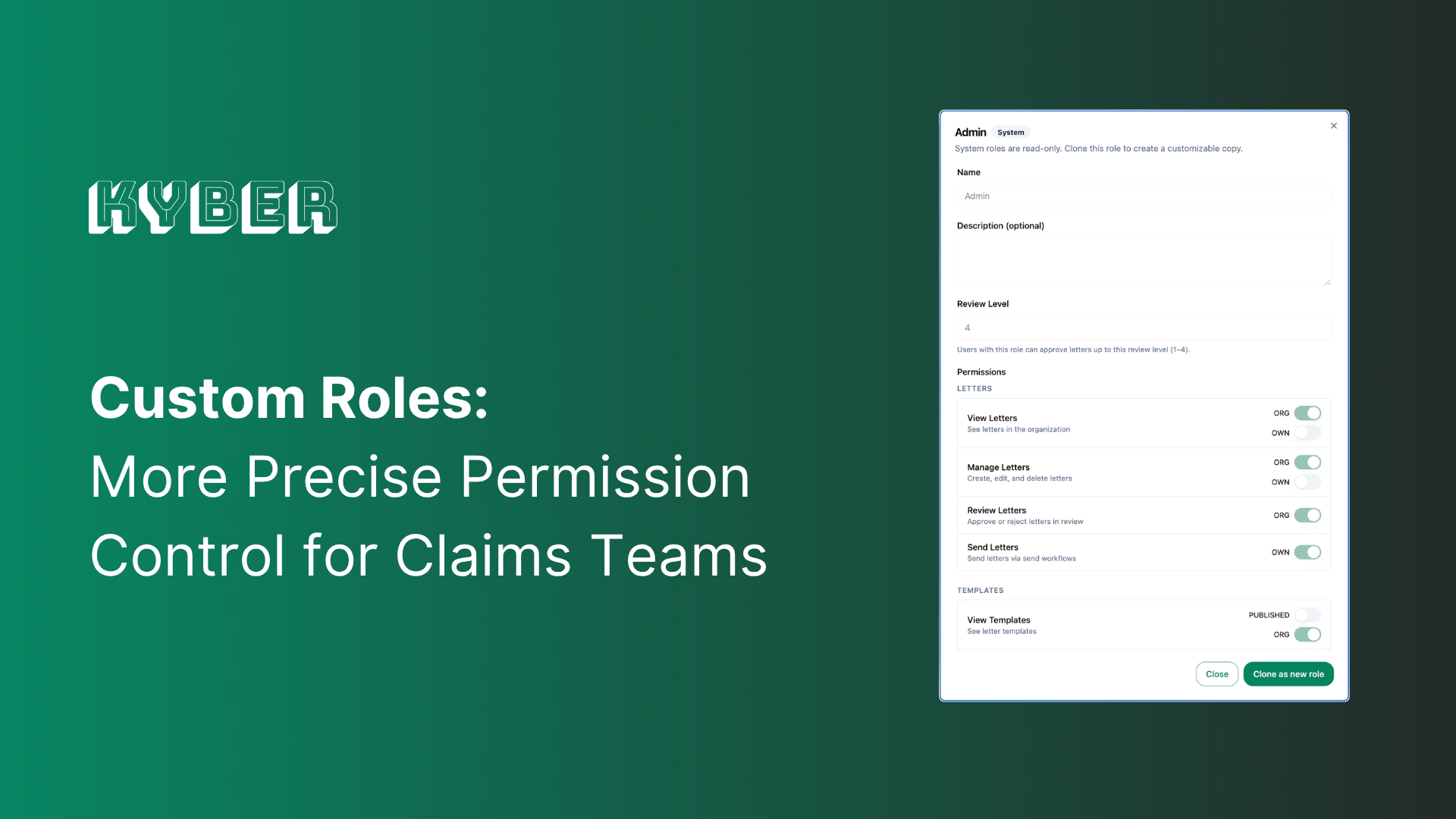
Custom Roles gives claims organizations more control over how permissions and approval authority are structured inside Kyber.
Instead of relying only on default roles, organizations can define roles that reflect how their claims teams actually operate. A carrier can create roles for adjusters, reviewers, auditors, entity administrators, template managers, or other internal functions, then assign permissions based on the specific actions each role should be able to take.
The goal is simple: make Kyber’s permission structure match the organization’s real claims authority structure.
How It Works
Custom Roles allows permissions to be configured at a more granular level across users, correspondence, templates, approvals, and administrative functions.
Organizations can define roles based on:
- What a user can view
- What a user can draft or edit
- What a user can send
- What a user can approve
- What templates or resources a user can manage
- Whether access applies to their own work, a team, an entity, or the broader organization
For example, an adjuster may be able to draft and edit their own letters, but require review before sending certain notice types. A team lead may be able to approve correspondence for their group. An auditor may need read-only access across claim communications without the ability to modify or send anything. An entity admin may manage users and workflows for one business unit without having broader system-wide control.
Custom Roles also supports review level mapping, making it easier to align correspondence approvals with internal authority levels. This helps claims teams create clearer paths for multi-step review, especially for higher-risk letters such as denials, Reservation of Rights, settlement communications, and regulatory notices.
Permissions are enforced in both the application experience and the backend. Users only see the actions and resources available to them, reducing confusion and helping teams maintain operational discipline at scale.
Why This Matters
Custom Roles gives claims leaders a more practical way to manage governance inside the correspondence workflow.
For operations teams, it reduces the need for manual access workarounds and one-off approval routing. For compliance teams, it makes authority structures more explicit and auditable. For adjusters and reviewers, it creates a cleaner day-to-day experience because users can focus on the tasks they are actually authorized to complete.
The impact is especially important for organizations with multiple entities, business units, or teams operating under different authority models. Instead of forcing those groups into a single rigid role structure, Custom Roles gives each organization more flexibility while preserving centralized control.
This supports Kyber’s core operating principles for claims correspondence:
- Compliant: Approval authority and access control are clearly defined.
- Consistent: Permissions can be standardized across teams and workflows.
- Efficient: Users can move faster without relying on manual routing or unnecessary admin intervention.
See Custom Roles in Action
Custom Roles is now available in Kyber. To learn how Custom Roles can support your claims correspondence workflows, contact your Kyber customer success manager or book a demo.
.png)
.png)




.png)
